MFG Genius — Chat History
Last updated on: 2026-05-26 | Updated by: MAGNI Docs Team
The MFG Genius Chat History page allows you to view, search, and manage your past chat sessions with the MFG Genius AI assistant. This page is accessible to all users who have permission to use the MFG Genius feature, helping you easily resume past conversations or clean up your history.
Page Sections
Search and Filter Controls
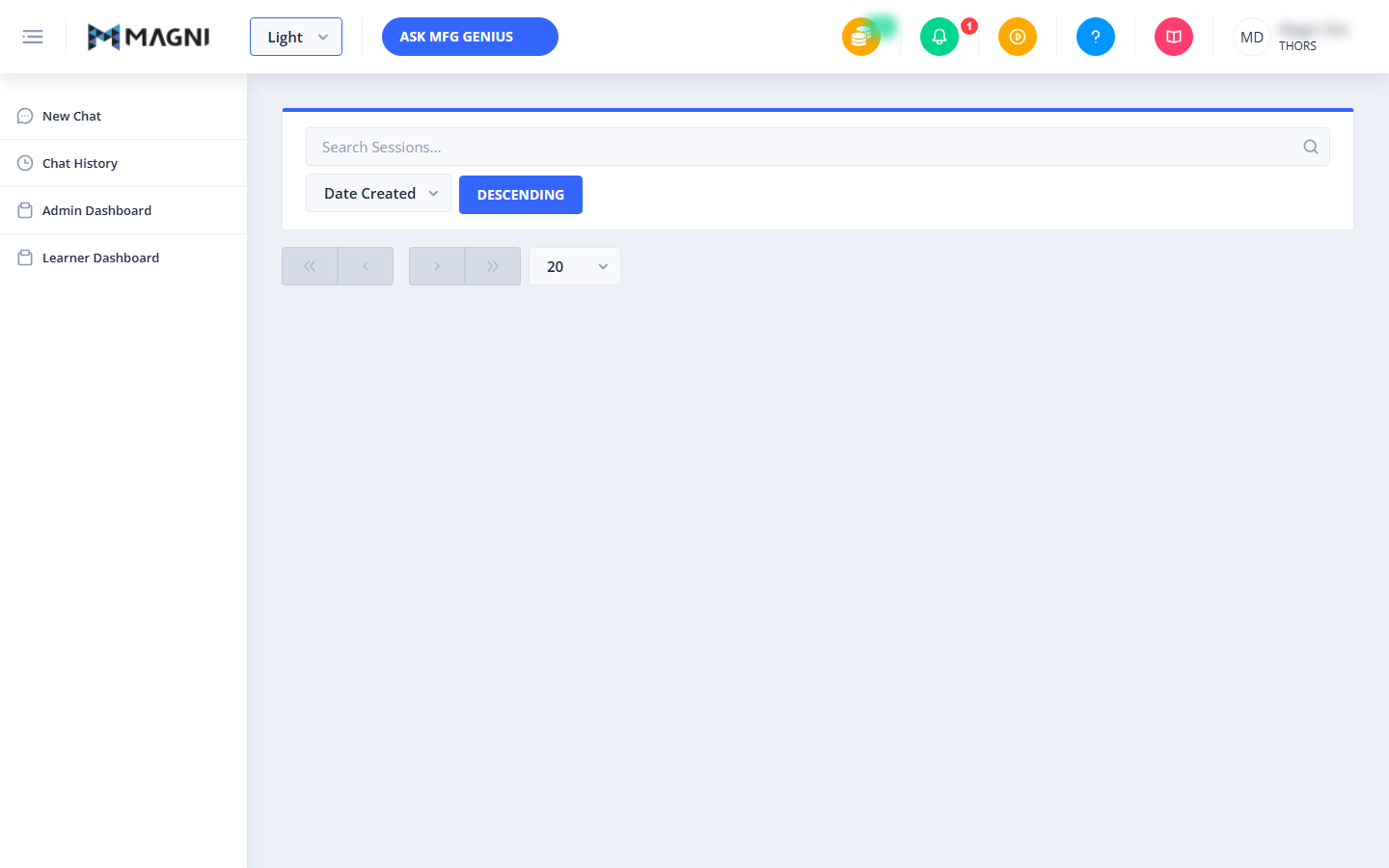
This section allows you to locate specific past conversations quickly using keywords or by sorting your history.

- Search Sessions Input: Type keywords here to filter your chat sessions by their names. The list updates automatically as you type.
- Sort Dropdown: Choose how to order your chat sessions. You can sort by:
- Session Name: Orders sessions alphabetically.
- Date Created: Orders sessions by when they were started.
- Sort Order Button: Click this button to toggle the sorting order between Ascending and Descending.
Chat History List
This area displays all your past chat sessions in a card format, showing up to 20 sessions per page.
- Session Card: Each card represents a single chat session and displays:
- Session Name Link: Click the name of the session to open and resume that specific chat.
- Delete Button (Trash Icon): Click this red button to permanently delete the chat session.
- Creation Date: Located at the bottom of each card, showing the date and time the chat session was created.
- Pagination Controls: Located at the bottom of the page, allowing you to navigate through multiple pages of chat history if you have more than 20 saved sessions.
System Alerts
- Unauthorized Access Alert: If you do not have the required permissions to view your MFG Genius history, a red alert banner stating "Unauthorized to view MFG history" will be displayed at the top of the page.
Common Actions
| Action | How to do it |
|---|---|
| Resume a past chat | Click on the session name link on any chat card in the list to open the conversation in the MFG Genius interface. |
| Search for a session | Type a keyword or session name into the "Search Sessions..." input field. The list will automatically filter to match your search. |
| Sort your history | Select either "Session Name" or "Date Created" from the sort dropdown, then click the "Ascending" or "Descending" button to change the order. |
| Delete a chat session | Click the red trash icon on the session card you wish to remove. In the confirmation dialog that appears, click Delete to permanently remove the chat, or Cancel to keep it. |
Tips
- Use Descriptive Names: When chatting with MFG Genius, give your sessions clear, descriptive names so they are easy to find later using the search bar.
- Keep Your History Clean: Regularly delete older, one-off chat sessions that you no longer need to keep your history organized and easy to navigate.
- Quick Sorting: If you are looking for your most recent conversations, make sure your sorting is set to Date Created and the order is set to Descending.