Last updated on: 2026-05-25 | Updated by: MAGNI Docs Team
Certificates
The Certificates page in Magni provides a centralized location for administrators to manage and access various certificates within the Learning Management System. Here, you can upload new certificates, search for existing ones, and view details about each certificate.
Overview
This page allows you to oversee all certificates available in Magni. As an administrator, you can add new certificate templates, making them available for courses, assessments, or user achievements. You can also quickly find specific certificates using the search and filter options.
Page Sections
Breadcrumbs
At the top of the page, the breadcrumbs show your current location within the Magni system: Dashboard > Certificates. You can click on "Dashboard" to return to the main administrator dashboard.
Upload New Certificate Button
This prominent blue button allows you to upload a new certificate file to the system. Clicking this button will typically open a dialog or navigate to a form where you can select a certificate file (usually a PDF) and provide any necessary details.
👤 Visible to: Users with permission to create certificates (typically Administrators).
Search Bar

Use the search bar to quickly find certificates by their name. Type all or part of a certificate's name into the input field and press Enter or click the search icon to filter the list.
Filter Tags Button
The "FILTER TAGS" button allows you to apply additional filters to the list of certificates, helping you narrow down results based on specific criteria or tags associated with the certificates.
Certificates List Table
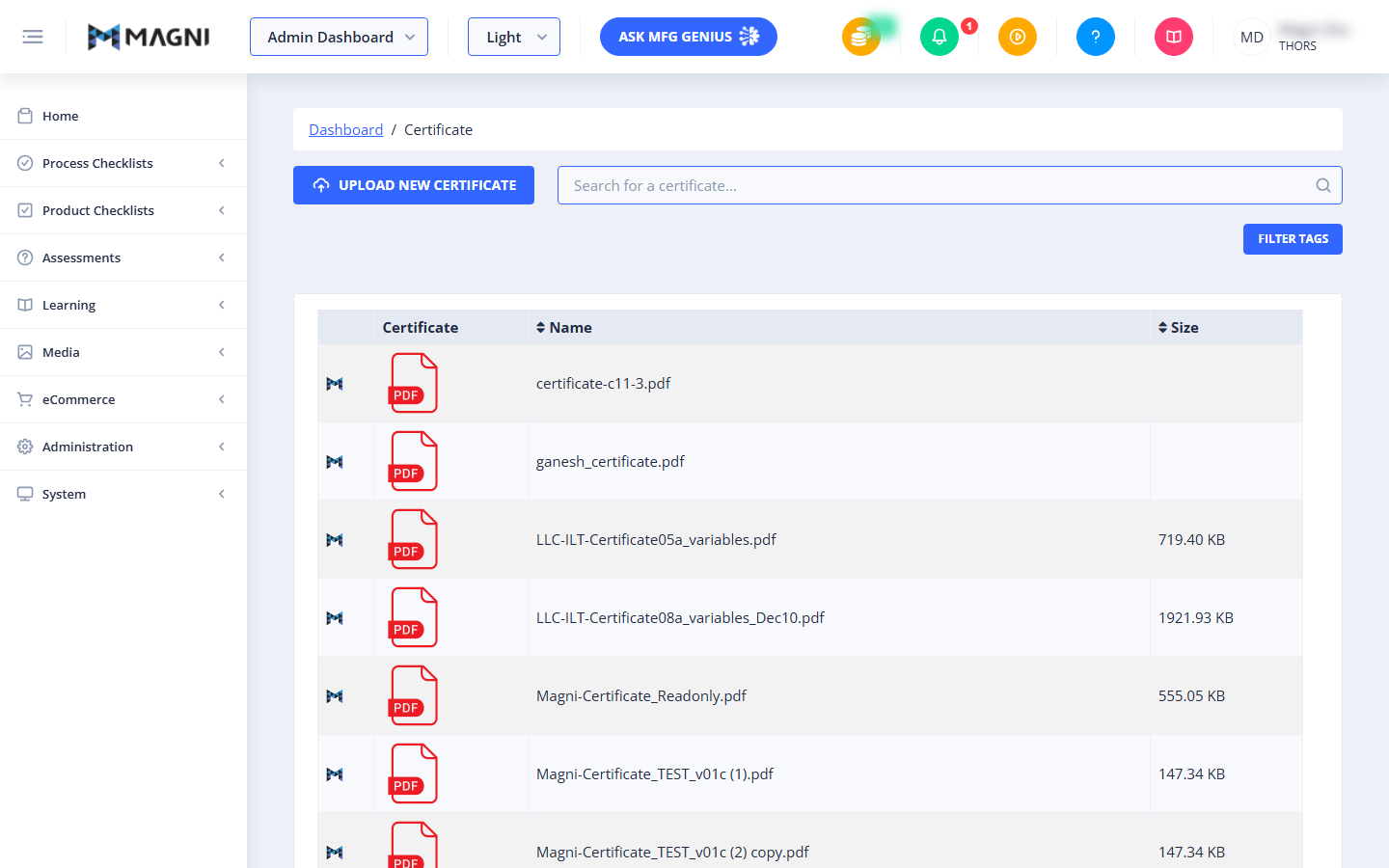
This table displays a list of all certificates currently in the system. Each row represents a single certificate and includes the following information:
- Certificate: Displays a PDF icon, indicating the file type, along with a Magni-specific icon (M) that might signify its origin or status within the system. Clicking on the certificate name or icon typically allows you to view or download the certificate file.
- Name: The filename of the uploaded certificate (e.g.,
certificate-c11-3.pdf,ganesh_certificate.pdf). - Size: The file size of the certificate document, if available.
Common Actions
| Action | How to do it