Product Checklist Issues — Detail
Last updated on: 2026-05-27 | Updated by: MAGNI Docs Team
The Admin Checklists Product Issues Detail page allows administrators and managers to view and manage specific issues or tasks flagged during product checklists. This page provides a centralized view of an issue's history, status, and associated checklist details to help resolve product quality or compliance concerns.
Page Sections
Issue Detail Content Area
The main content area dynamically displays information based on your organization's settings and the type of issue being viewed.
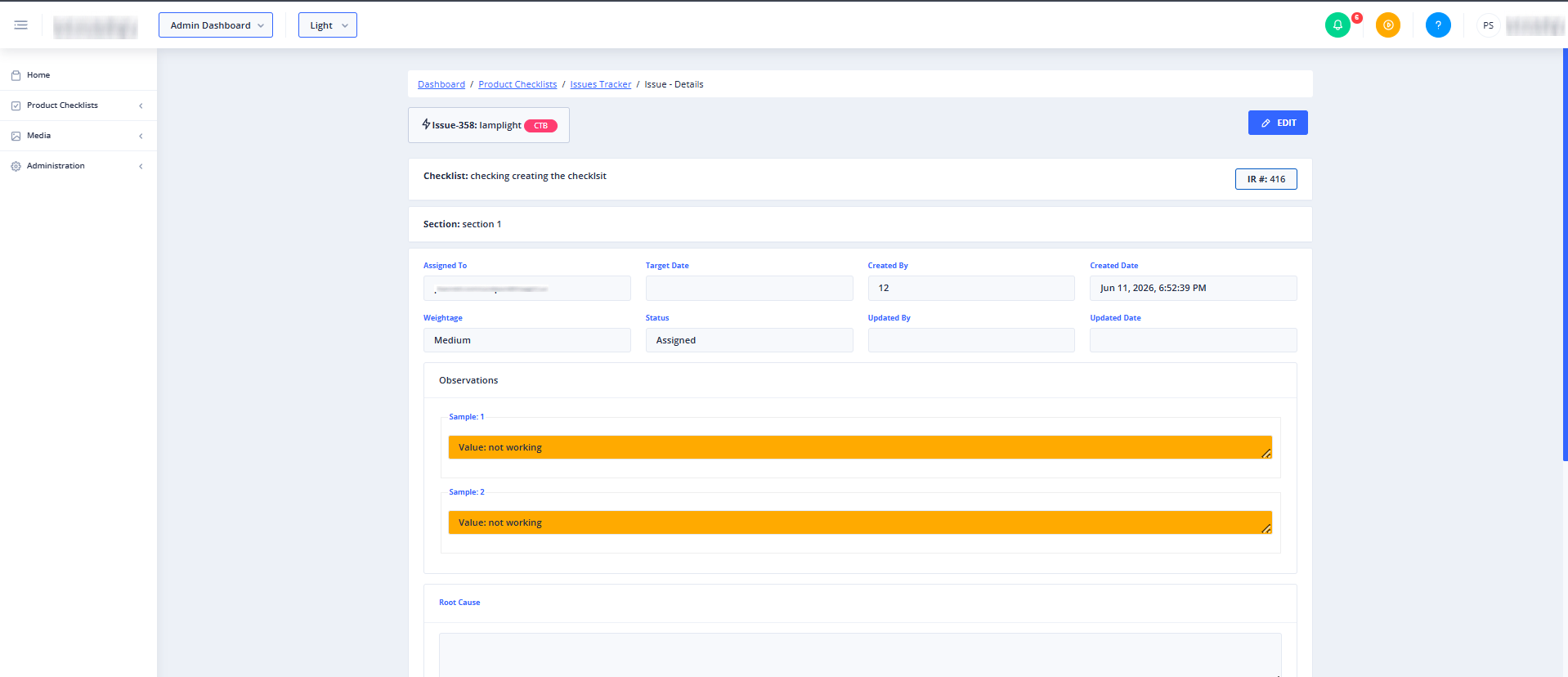
Depending on your system configuration and the issue type, you will see one of the following states:
1. Feature Not Enabled Screen
If the Issues Tracker feature is not enabled for your organization or for the specific checklist type, you will see a "Feature Not Enabled" notification.
⚠️ Access Requirements:
- For Product Checklist Issues: Your organization must have "Issues Tracker", "Product Checklists", and "Issues Tracker for Product Checklists" all enabled.
- For Process Checklist Issues: Your organization must have "Issues Tracker", "Process Checklists", and "Issues Tracker for Checklists" all enabled.
- For Tasks: Your organization must have "Issues Tracker" enabled.
2. Loading State
A loading indicator appears temporarily while the system retrieves the issue details and verifies your access permissions.
3. Checklist Issue Detail View
When viewing an issue associated with a checklist, this section displays the full history of the issue, the specific checklist item it originated from, and any comments or status updates.
4. Task Detail View
When viewing an issue categorized as a task, this section displays task-specific details, including assignees, due dates, and resolution progress.
Common Actions
| Action | How to do it |
|---|---|
| View Checklist Issue Details | Navigate to this page from a checklist issue list. The system automatically loads the checklist details if the feature is enabled. |
| View Task Details | Navigate to this page from a task list. The system automatically loads the task details if the feature is enabled. |
Tips
- Check Feature Permissions: If you encounter a "Feature Not Enabled" message, contact your system administrator to ensure that both the Issues Tracker and the corresponding Checklist features are fully activated for your account.
- Use Sidebar Navigation: Use the left navigation menu to easily jump back to the main Product Checklists or Process Checklists dashboards at any time.