Examinee — Exam
Last updated on: 2026-05-25 | Updated by: MAGNI Docs Team
This page allows administrators to manage access codes, which can be used to grant users access to specific courses or assessments within Magni. Administrators can create new codes, search existing ones, and view their details.
Overview
The Access Codes page provides a centralized location for administrators to oversee and manage all access codes configured in the system. From here, you can create new codes, search for specific codes, and view essential details such as their creation and expiration dates. This feature is primarily used by administrators to control user access to various learning content.
Page Sections
Feature Not Enabled
If the Access Code feature is not enabled for your customer account, a message will be displayed indicating that the feature is not available.
⚠️ This section is only visible if the "Access Code" feature is disabled for your organization.
Quizzes List and Navigation Navigation
This section contains controls for creating new access codes and searching existing ones.
Start a Quiz Click this button to open a wizard for creating a new access code.
👤 Visible to: Users with permission to create access codes.
Quiz Attempt Form
This table displays a list of all access codes in the system, along with their key details. You can click on any row to view the detailed information for that specific access code.
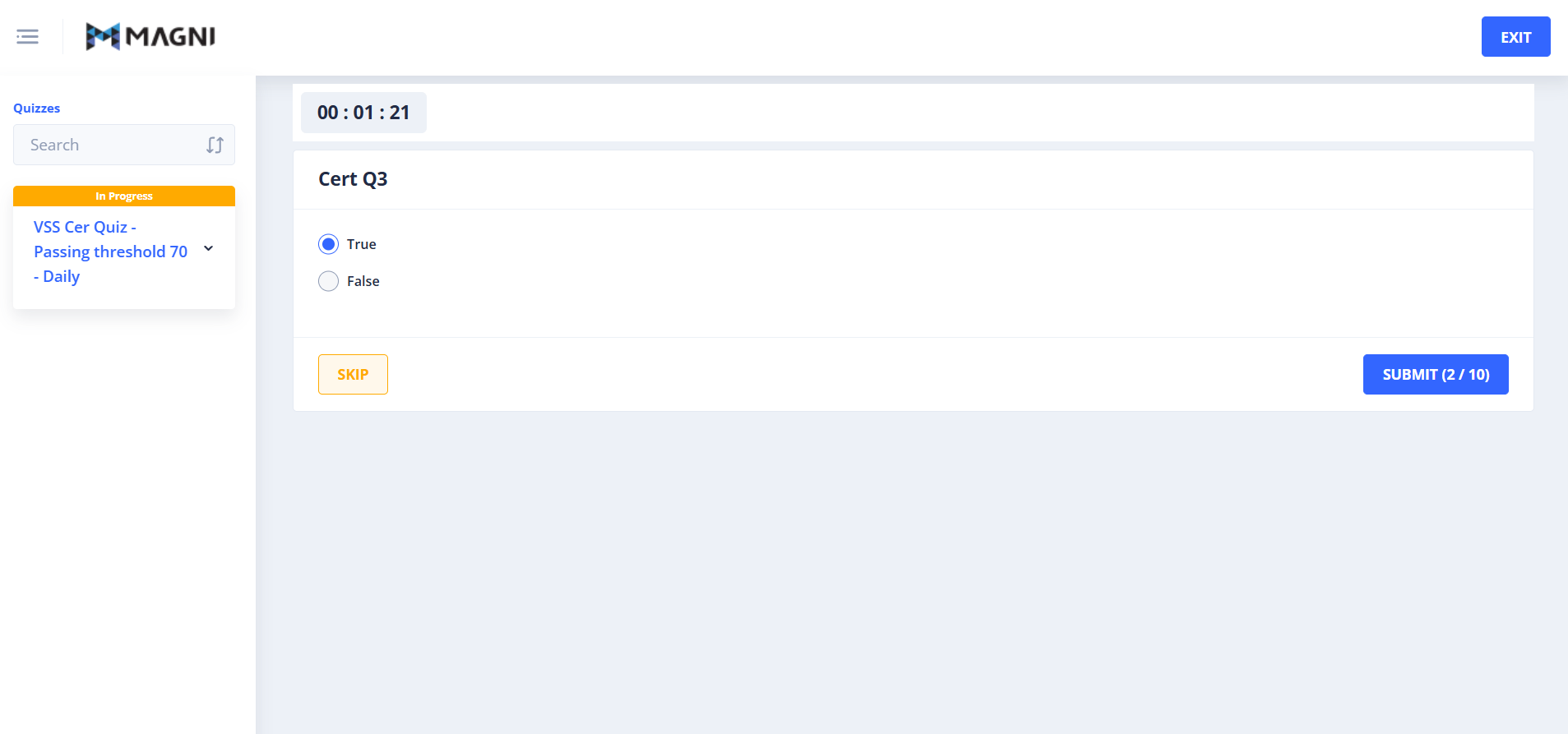
The form includes the following details:
- Question Description: Complete this...
- Question Media: Complete this...
- Quistion: Complete this...
- Answers: Complete this...
Question Navigation
Complete this...
Common Actions
| Action | How to do it |
|---|---|
| Move to Next Quiz | Complete this |
| Skip a Quiz | Complete this |
Tips
- Use descriptive names for your access codes to easily identify their purpose later.
- Regularly review the "Expiration Date" column to manage code validity and prevent unauthorized access.
- If you have many access codes, using the search bar and sorting features can help you quickly find the one you need.