Access Codes
Last updated on: 2026-05-25 | Updated by: MAGNI Docs Team
Overview
The Access Codes section provides administrators with comprehensive tools to manage how users gain access to quizzes and assessments. This feature allows for the creation, configuration, and oversight of unique codes that grant specific permissions, often including expiration dates and custom notification settings.
Users can efficiently create new access codes, view their detailed configurations, modify existing code parameters, and browse a complete list of all active and expired codes. This centralized management ensures controlled and flexible distribution of assessment access across the organization.
- Access Codes — Create (Advanced): This page enables administrators to quickly define all necessary details for a new access code, including associated quizzes, expiration dates, and notification settings, using an advanced creation interface.
- Access Codes — Detail: This page allows administrators to view the specific configurations of an existing access code, retrieve assessment links or QR codes, and review associated quizzes, notification settings, and certificates.
- Access Codes — Edit: This page provides administrators with the ability to modify an existing access code's settings, such as its name, expiration date, passing threshold, associated quizzes, and notification rules.
- Access Codes — List: This page offers a centralized view of all access codes in the system, allowing administrators to search, sort, and quickly access detailed information for each code.
Admin Codes Wizard
This page allows authorized users to choose between two methods for creating new access codes, primarily used for managing access to assessments. It provides flexibility, offering a guided wizard for new users and an advanced option for experienced users who need to quickly configure all details.
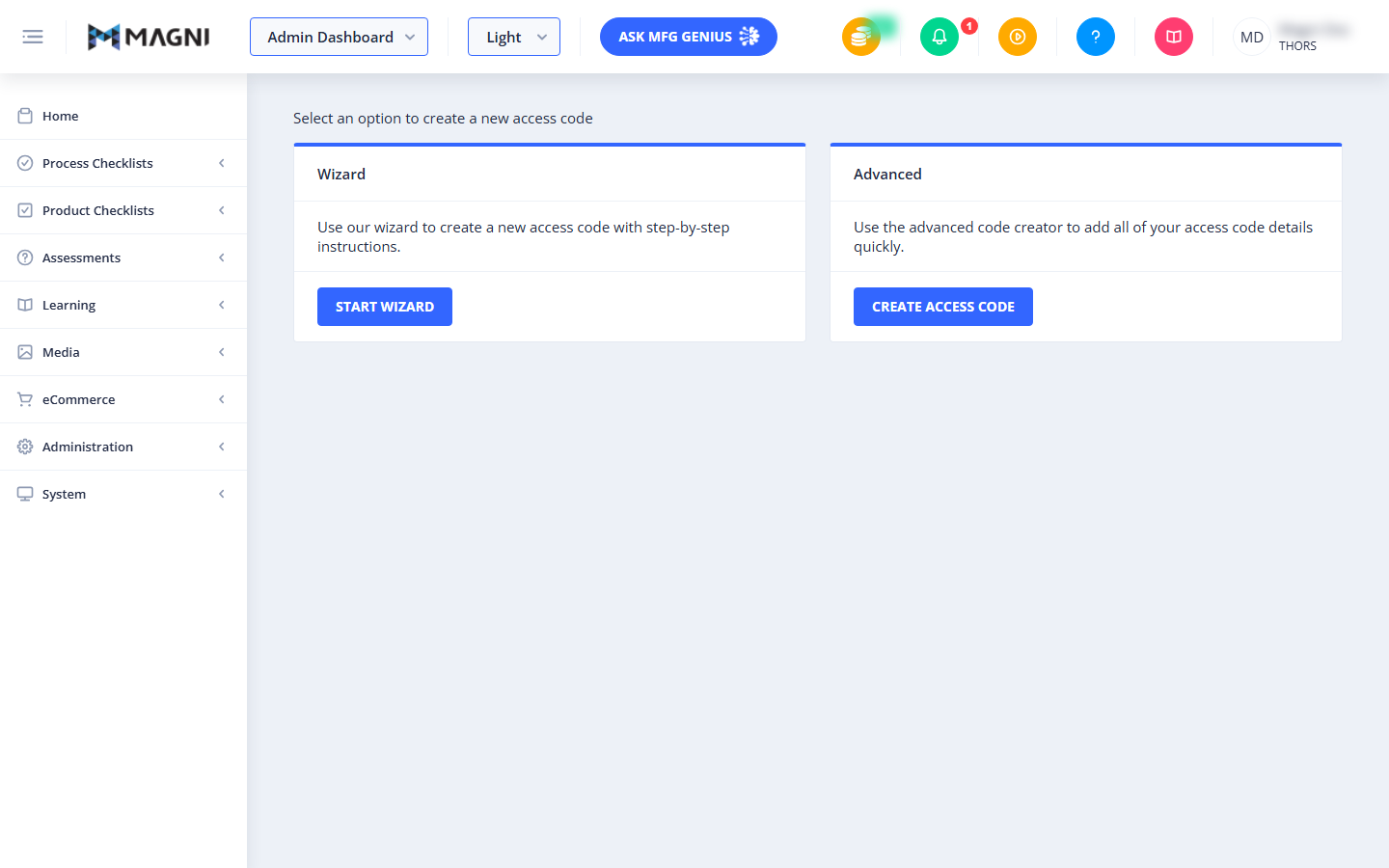
Access Code Creation Options
This section presents two distinct methods for creating access codes. Both options are displayed as cards, each with a header, a brief description, and a button to proceed.
👤 Visible to: Users with permissions to create codes.
-
Wizard Card:
- Header: Wizard
- Description: This option guides you through the process of creating a new access code using step-by-step instructions. It's ideal for users who prefer a structured approach or are new to creating access codes.
- Button: Start Wizard – Clicking this button will take you to the first step of the access code creation wizard.
-
Advanced Card:
- Header: Advanced
- Description: This option allows you to quickly add all the necessary details for your access code using an advanced creator. It's suitable for experienced users who know all the required configurations and want to enter them efficiently.
- Button: Create Access Code – Clicking this button will take you to a page where you can directly input all access code details.
Choose Wizard Options
This page is the first step in the Admin Codes Wizard, allowing administrators to create and manage access codes for assessments within Magni. It guides you through defining the basic properties of a new access code, starting with its name.
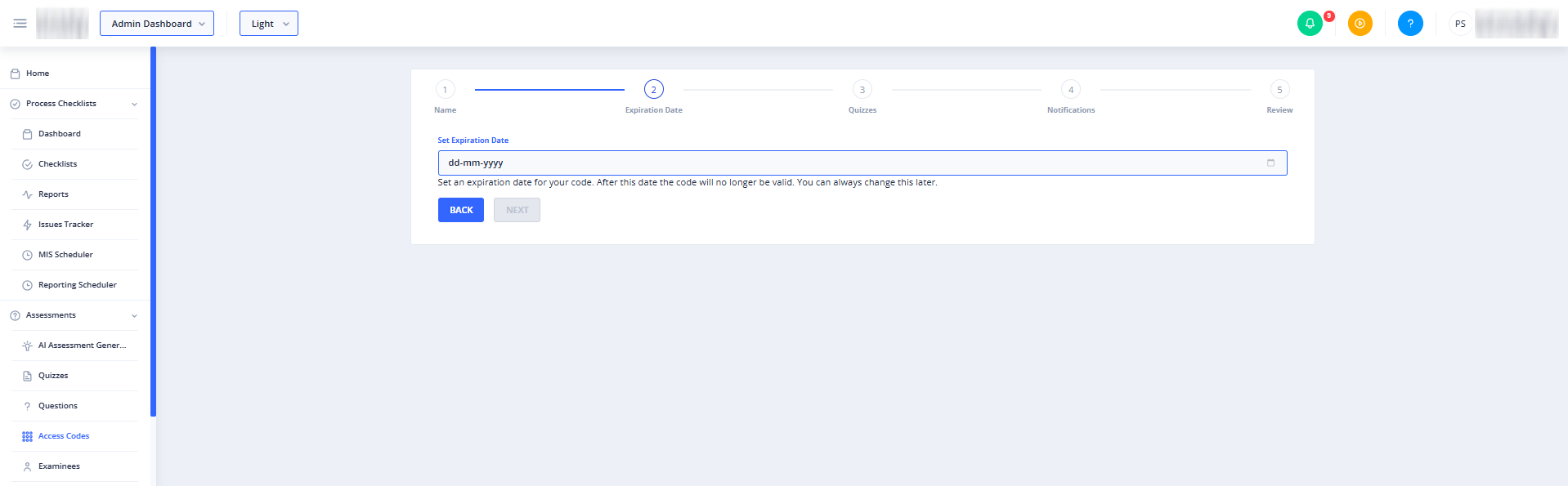
- Wizard Stepper:
The top of the page displays a five-step wizard progress bar, indicating your current position in the code creation process. The steps are:
- Name
- Expiration Date (Current Step)
- Quizzes
- Notifications
- Review
Common Actions
| Action | How to do it